Situation
Daily invoice, quotation, payment, and document follow-up created repetitive manual work and real accuracy risk in day-to-day billing operations.
Business Integration
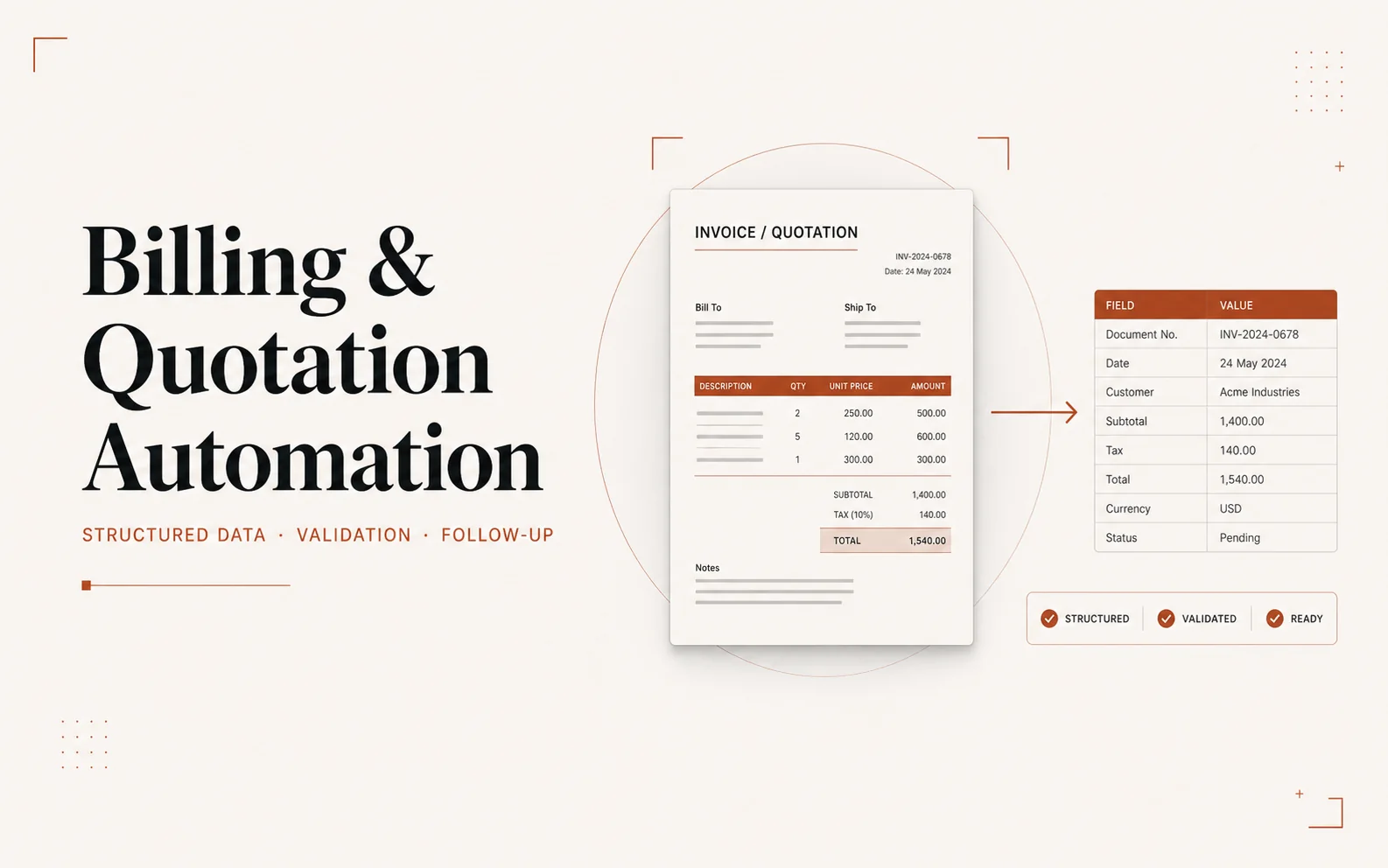
An Excel-based data and automation workflow for invoices, quotations, validation, payment tracking, and document follow-up.
Why it matters
My role
Daily invoice, quotation, payment, and document follow-up created repetitive manual work and real accuracy risk in day-to-day billing operations.
Turn the billing process already being run by hand into structured, automated Excel workflows, without losing the operational trail needed for follow-up.
The resulting workflow reduced manual repetition, improved consistency across invoices and quotations, and made operational follow-up easier to manage day to day.
Technical implementation
Each layer connects an implementation choice to the decision or workflow it supports.
05 layers| Layer | Implementation | Operational purpose |
|---|---|---|
| Operational model | Structured Excel tables for customers, invoices, quotations, amounts, dates and statuses | Separate reusable data from manually formatted documents |
| Calculation logic | Reusable formulas for totals and document values | Reduce repeated manual calculation and improve consistency |
| Validation | Required fields, controlled identifiers, status rules and exception checks | Prevent incomplete or inconsistent billing records |
| Automation | Repeatable invoice and quotation preparation steps | Reduce routine data entry across daily operations |
| Tracking | Payment, document state and follow-up views | Make outstanding actions visible without reopening individual files |